
Edit & create
Replace text and images, start with a blank page, or turn PNG and JPEG files into a PDF.
Your free PDF workspace
A comfortable place to edit, organize, and finish your documents. All on your own device.
No account. No document uploads.
Edit original text and images locally in your browser.
From open to done
Change a heading. Put the pages in order. Fill out a form and send a clean copy. PDF Cabin brings the everyday pieces together in one calm, local workspace.
Select a view to explore.
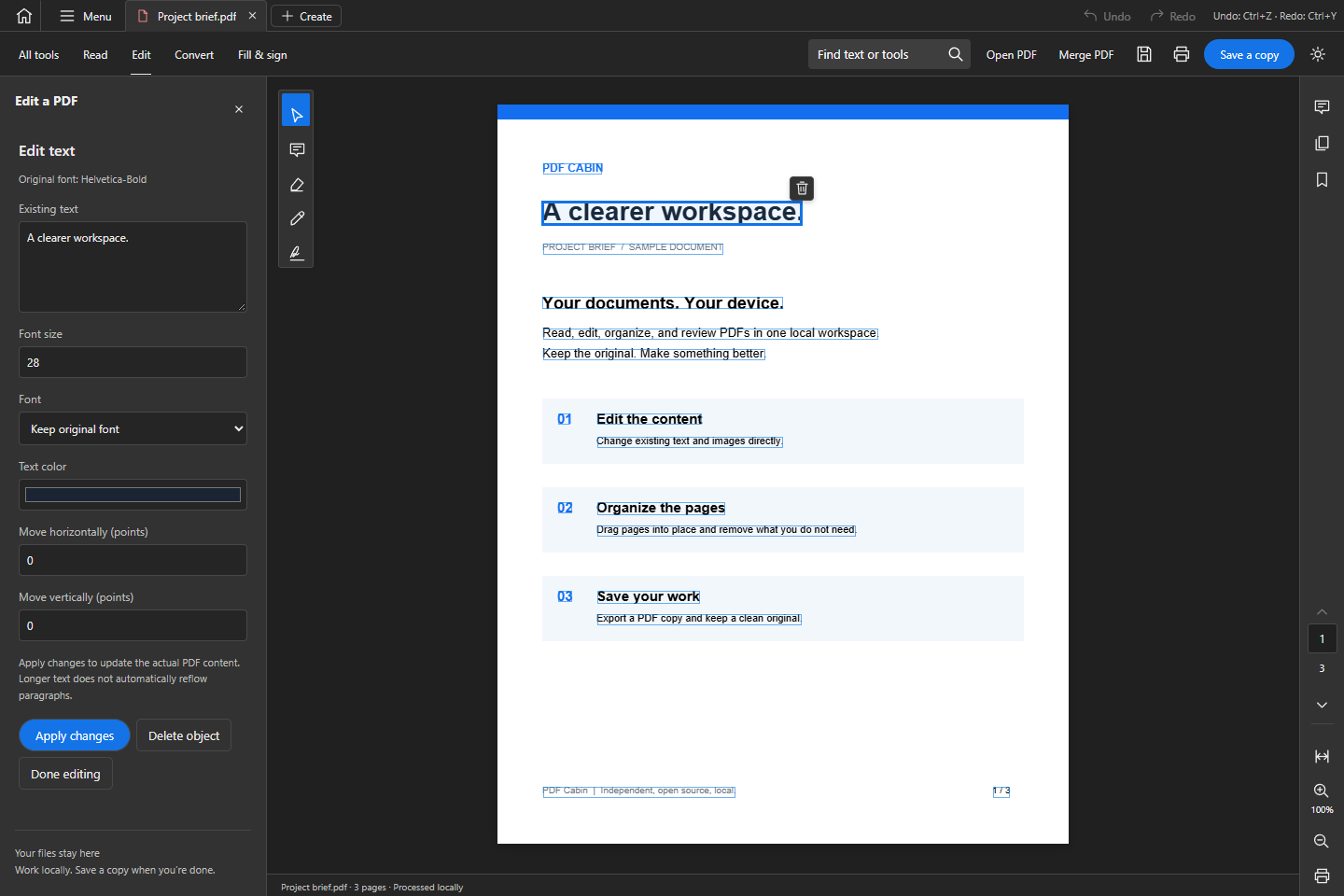
Edit what is already there
Change existing text and images directly in the desktop app. Drag an object into place, adjust its style, or remove it. Undo is right there when you need it.
Explore the user guideThe everyday toolkit
Replace text and images, start with a blank page, or turn PNG and JPEG files into a PDF.
Drag pages into order, rotate or remove them, merge files, and extract the pages you need.
Fill forms, leave native PDF comments and highlights, and add a drawn signature.
Find text, follow bookmarks, compare page text, or recognize English text from a scan.
Keep an edited PDF, export page images or plain text, and prepare a document for printing.
Work across document tabs with their own Undo and Redo. Choose a light or dark workspace.
A little more peace of mind
Work locally. Save a copy when you’re done.
DownloadMake it your workspace
Download the PDF Cabin desktop preview for your computer.
Free to use. No subscription.
x64 · .exe installer
Apple Silicon · .dmg
Intel x64 · .dmg
x64 · .AppImage
Mobile tools. Your files stay on your device.
Android 10+ · preview APK
Safari 18+ · Home Screen
Read, edit original text and images, organize pages, fill forms, comment, export, and run English OCR on your device.
A few things to know
Yes. Choose Use online to open the browser workspace without installing anything. Add text and images, arrange or merge pages, fill forms, add comments, export files, and run English OCR. Documents stay in your browser; save your work before closing or refreshing the tab.
Original text and image editing runs on your device with PDFium WebAssembly. No document upload is required.
Download the build that matches your computer. Preview builds are unsigned, so your operating system may ask for additional approval. Only use release files from the official PDF Cabin repository.
PDFs vary. Direct editing currently supports top-level text and image objects up to 30 MB. Paragraph reflow, nested content, some font encodings, and scanned-text replacement have limits. OCR exports English text; it does not create a searchable PDF layer.
Office conversion, secure redaction, encryption, and certificate-based signing are not included. A drawn signature is a visual mark. See the feature coverage for the full picture.
Documents are processed on your device. Recent files and unsaved work live in the current session, so save your work before closing the app. The recent-file list is not a backup.
Please do. Open an issue on GitHub with what you expected and what happened. Use a synthetic or non-sensitive sample if a PDF is needed. The project is MIT licensed and contributions are welcome.